
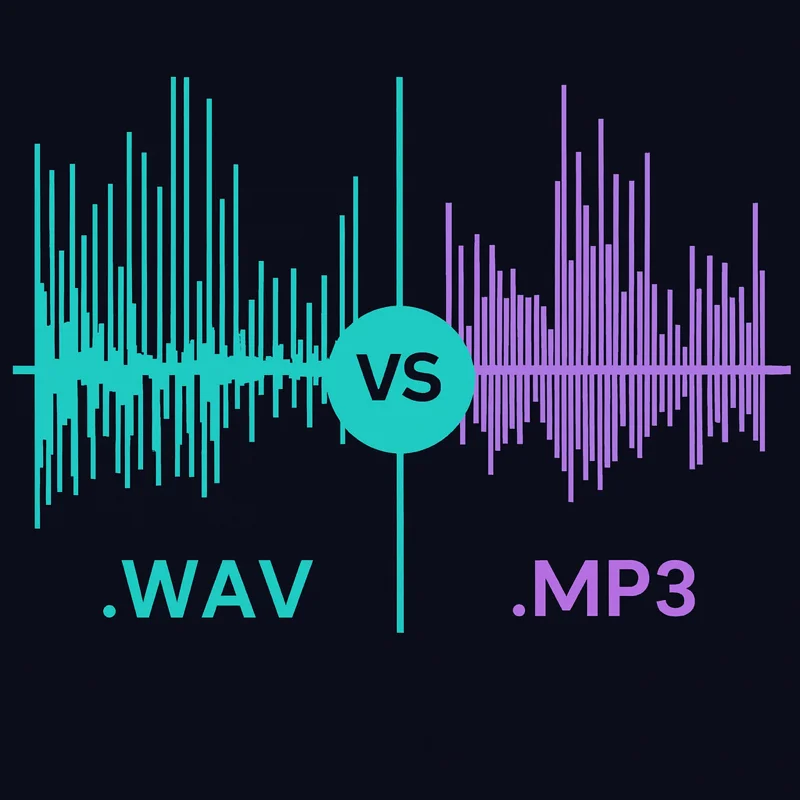
TL;DR: WAV files are uncompressed, so they keep every detail of the original recording but take up about 10x more space than MP3. MP3s are compressed for portability, losing some audio detail most listeners will never notice. Use WAV for archiving and critical listening, MP3 for everyday listening and streaming.
Every great audio debate has its icons-and few bouts are as classic as WAV vs MP3.
On one side, you’ve got WAV files: the uncompressed, all-data-retained heavyweight champ of audio quality. On the other, there’s MP3: the sleek, efficient fighter that sacrifices detail to save space.
If you’ve ever wondered whether you’re truly hearing every nuance of a song, or if that’s just placebo talking, this post is for you.
We’re breaking down the difference between WAV and MP3, plus we’ll throw in a listening test so you can settle the debate with your own ears. Let’s see if your sound-snob reputation holds up.
Table of Contents
In this guide, we’ll cover everything you need to know about the WAV vs MP3 formats, with a little vinyl perspective baked in.
- What Are WAV and MP3 Files?
- WAV vs MP3: The Basics
- Can You Hear the Difference?
- Can Most People Hear the Difference?
- Why Streaming Formats Matter for Audiophiles
- WAV vs MP3: Which One Should You Choose?
- Conclusion: What’s Your Verdict?
What Are WAV and MP3 Files?
Before we dive into the nitty-gritty, let’s get the basics straight.
WAV Files: The Audiophile’s Holy Grail
WAV (Waveform Audio File Format) is an uncompressed, lossless audio format developed by Microsoft and IBM.
Think of it as the full-resolution “source file” of a song – nothing is trimmed, simplified, or tossed out to save space. That’s why WAV is the go-to for studio work, editing, and archiving, or for anyone who wants the cleanest possible version of the audio to start from.
Key traits:
- File Size: Huge. A 3-minute song in WAV format can take up 30-50 MB.
- Quality: Crystal-clear, preserving every detail of the audio.
- Use Case: Recording, mixing, mastering, film, and critical listening.
MP3 Files: The Efficient All-Rounder
MP3 (MPEG Audio Layer III) is a compressed, lossy audio format. It changed how people listened to music by making files way smaller while keeping the sound “good enough” for most listeners. It does that by removing pieces of the audio that are considered less noticeable to the human ear – a process called psychoacoustic modeling.
Key traits:
- File Size: Compact. A 3-minute song in MP3 format (320 kbps) is about 6–10 MB.
- Quality: Varies depending on the bitrate, but even at its best, it sacrifices some fidelity.
- Use Case: Streaming, portable devices, and casual listening.
WAV vs MP3 Comparison
| Aspect | Winner | WAV | MP3 |
|---|---|---|---|
| Audio Fidelity | WAV | Uncompressed, retaining every detail of the original recording. | Lossy compression removes some audio data, sacrificing detail. |
| File Size | MP3 | Large; typically 10x the size of MP3 files for the same track. | Compact; designed for portability and efficient storage. |
| Streaming Friendliness | MP3 | Rarely used in streaming due to large size and bandwidth demands. | Optimized for streaming platforms with quick load times. |
| Editing and Production | WAV | Ideal for studio recording, mixing, and mastering due to its lossless nature. | Not suitable for editing; audio data is permanently removed during compression. |
| Device Compatibility | MP3 | Supported by most modern devices but requires more storage capacity. | Universally compatible with all devices and software. |
| Use Case | Depends | Best for critical listening, archiving, and professional audio workflows. | Perfect for casual listening, mobile devices, and streaming on the go. |
| Storage Requirements | MP3 | Requires significant storage space; less practical for large libraries. | Highly efficient, allowing for thousands of tracks on a single device. |
| Overall Versatility | Depends | Excellent for high-fidelity and archival use but limited portability. | Highly versatile for everyday use and broad accessibility. |
In short: WAV is like a raw, uncompressed photograph, while MP3 is the high-res JPEG optimized for sharing. Both have their strengths, but choosing between them depends on your priorities.
WAV vs MP3: The Basics
File Size and Storage
WAV files are storage hogs. If you’ve ever ripped a CD into WAV format, you’ve probably watched your hard drive fill up way faster than you expected.
Why, you may ask?
Because WAV retains every bit of data from the original recording. Nothing is tossed out to save space. So yeah – a full album in WAV can easily exceed 1 GB.
MP3 files, on the other hand, are built for efficiency. They compress the audio and shrink file sizes dramatically, which is why you can store hundreds – even thousands – of songs on a single device without thinking about it.
Bottom line: If storage space is the concern, MP3 wins. But if you’ve got the disk space (or a big NAS sitting at home), WAV is worth considering for the “keep everything” version of your music.
Sound Quality
This is where the debate gets heated.
WAV delivers audio exactly as recorded, with no compression shaving off detail. Reverb tails. Subtle textures. Little background elements. It all stays intact.
MP3, even at higher bitrates, can lose some of that information. You might hear it as a slight “whoosh,” less precise imaging, or a softer edge on certain sounds – especially on nicer gear.
The real question is simple: can your ears tell the difference? We’ll get to that test shortly.
Compatibility
WAV is supported by most devices and software, but its file size makes it less practical for portable libraries or streaming. Big files take longer to move, longer to load, and eat up storage fast.
MP3 is basically universal. It downloads quickly, streams easily, and plays nicely with almost everything.
Winner: For convenience, MP3 has the edge. But if you’re listening on a high-end setup and you care about squeezing out every last bit of quality, WAV is the cleaner format.
Can You Hear the Difference?
Can the average listener actually distinguish between WAV and MP3?
The answer depends on several factors, including the quality of your gear, the bitrate of the MP3 file, and your listening environment. That being said, below is a quick test that can give some insight into whether you can indeed, hear the difference.
How It Works:
- 1. Below, you’ll find two audio samples, one in WAV format and one in MP3 (320 kbps).
- 2. Listen carefully to both tracks using your best equipment (headphones or speakers recommended for accuracy).
- 3. Use the poll to select which file you think is the higher-quality WAV.
- 4. Once you vote, the correct answer will be revealed, along with a breakdown of what you might have heard in each format.
Take the Test:
Safety Disclosure: Start with the volume set low and adjust gradually. Individual hearing capabilities can vary due to age, genetics, or past exposure to loud noises. This tool is designed for general insights and is not intended for medical diagnosis.
Sample A:
Sample B:
Cast Your Vote:
After submitting your answer, we’ll show you which sample was the WAV file and which was the MP3. Whether you guessed correctly or not, remember: the ability to distinguish between formats can depend on your equipment, environment, and personal sensitivity to sound quality.
Which sample is the higher-quality WAV?
Can Most People Hear the Difference?
So, how did you do?
Maybe not a surprise but I will let you in on the reality: most people can’t reliably distinguish between a high-bitrate MP3 (320 kbps) and a WAV file, at least not without trained ears and high-quality equipment.
Why Is It Hard to Tell the Difference?
- 1. MP3 Compression Efficiency: At 320 kbps, the compression algorithm retains enough detail that most people won’t notice any missing data unless they’re listening on high-end gear in a quiet environment.
- 2. Listening Equipment: Standard headphones and speakers may not reveal the nuances that differentiate WAV from MP3.
- 3. Trained Ears vs. Casual Listening: Audiophiles and sound engineers might pick up on subtleties like better-defined treble or more natural bass in the WAV file, but casual listeners generally can’t tell the difference.
What You Might Have Heard
If you guessed correctly – You may have noticed clearer instrument separation, fuller bass, or a more natural tonal balance in the WAV file.
If you guessed wrong – Don’t worry! The difference is subtle, and the MP3 format is incredibly efficient at maintaining perceptual quality, even with lossy compression.
The Takeaway
While WAV files are ideal for critical listening, editing, or archival purposes, high-bitrate MP3s often deliver “good enough” quality for most everyday listening scenarios. The choice ultimately depends on your gear, environment, and how much fidelity matters to you. Let us know how you did and whether you’re Team WAV or Team MP3!
Why Streaming Formats Matter
Ever hear a song that just hits different? That’s not magic, that’s sound quality.
Even if most people can’t always tell the difference between WAV and MP3, your brain can feel it. And thats why audio quality holds a premium in the music world.
People are willing to pay extra for formats that promise a superior listening experience, even if the nuances are subtle or gear-dependent (albeit, some heavy placebo effect may be in play).
Here’s a quick breakdown of the popular streaming services and where their quality stands:
- Spotify and Apple Music: These platforms use lossy formats like MP3 or AAC to prioritize bandwidth and accessibility. Even at high settings, they’re designed for convenience over absolute fidelity.
- Note: Spotify does now offer FLAC format that is around CD-quality
- Tidal HiFi and Qobuz: These services cater to audiophiles, offering lossless formats like FLAC that retain the quality of WAV while reducing file size. They’re perfect for those who demand high-resolution audio and don’t mind paying a premium for it.
The Gear Factor
Digital formats like WAV and MP3 can only take you so far – after that, it’s all about what’s playing them.
That’s the hidden X-factor. Speakers, amps, even the room you’re in – they shape how music feels more than any file ever could. Sure, switching formats or swapping headphones might make a small difference. But the real jump happens when you upgrade the whole setup, it’s like moving from the little leagues to the majors.
That’s where we come in.
We’re helping a new generation make that jump – moving from digital files to full setups that let you actually feel your music. Our goal’s simple: help as many people as possible experience that moment when everything just clicks.
If you are interested in that higher-fidelity sound but have never felt confident enough to make the jump because building the right setup seems like a maze, check out our Builder app. It takes a lot of the guesswork out of the process. We’ve rounded up strong options for every component, automatically check compatibility, and let you sort by things like what’s on sale. And if you want the ultimate cheat code, we also have a setup directory with hundreds – maybe thousands by now – of real setups people have already built, so you can basically copy one that fits your taste.
WAV vs MP3: Which One Should You Choose?
Choosing between WAV and MP3 comes down to your priorities as a listener. Are you chasing the purest sound possible, or is convenience and portability more important? Let’s break down when each format makes the most sense for your needs.
When to Choose WAV:
- You value pure, uncompressed sound and want to experience music exactly as recorded.
- You’re using studio-grade equipment or high-fidelity headphones that reveal every detail.
- You have the storage capacity for large files, such as on a NAS or external hard drive.
When to Choose MP3:
- You prioritize convenience and portability, especially for mobile devices or on-the-go listening.
- You stream most of your music or use mid-tier equipment where differences are less noticeable.
- You want a practical solution that balances quality with efficient storage.
Pro Tip: If you’re unsure, try FLAC, it’s a lossless format that offers WAV-like quality with MP3-like storage efficiency.
Conclusion: What’s Your Verdict?
At the end of the day, WAV vs MP3 isn’t just about technical specs, it’s about what you value most as a listener. For some, it’s the peace of mind that comes with knowing you’re hearing every nuance. For others, it’s the ability to carry thousands of songs in your pocket without sacrificing much quality.
Whatever side you’re on, the fact that you’re even thinking about this means you care about sound quality, a win in its own right. So, take the test, share your results, and join the conversation. Whether you’re Team WAV or Team MP3, the ultimate goal is simple: enjoy the music the way it was meant to be heard.